# How to create a new language
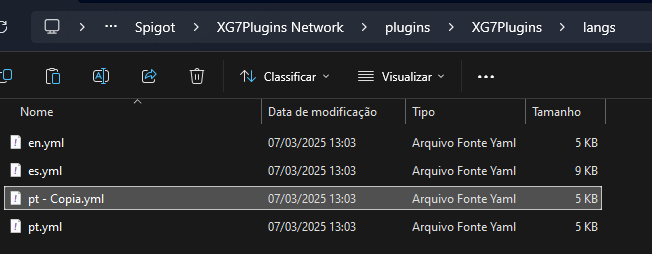
### 1. Copy and paste one of the CORE language files
Do as shown in this image
Copie e cole um arquivo
### 2. Rename the file to the new language.
Rename the file to the new language, in my case Italian.
Arquivo renomeado
### 3. Change the internal settings
Change the internal settings so that the plugin identifies a different language.
```yaml
locale: it #New Player's local (it should be incorrect)
formated-name: "Italiano"
icon: "STONE"
bedrock-icon: "URL, New image URL"
```
### 4. Translate the file
Translate all strings, which are enclosed in quotation marks, so that the player receives the translated text.
### 5. Repeat this process for all other plugins.
To translate other plugins, you need to repeat this process for all other plugins, **except for changing the configuration, as this is only for CORE.**